How Digital Signage Systems Actually Work
A practical breakdown of the technology, workflow, and infrastructure behind modern screen networks
Digital signage has evolved from simple USB-based slide shows to intelligent, cloud-managed communication systems. Today, enterprises use digital signage to control messaging across retail stores, corporate offices, healthcare facilities, hospitality venues, and public spaces. Understanding how digital signage works is essential before investing in a scalable solution. The system is not just about screens — it is about centralized control, automation, integration, and measurable impact.
Written by
Sidharth Gaikwad
Read Time
4 minutes
Posted on
04/04/2026
Step 1: Content Creation
Everything starts with content aligned to business objectives. This may include:
Promotional campaigns
Product highlights
Digital menus
Internal communications
KPI dashboards
Brand storytelling visuals
Content should be optimized for screen size, viewing distance, and audience behavior. For enterprise use, content is often standardized across locations with room for local customization.
Step 2: Upload to the Digital Signage CMS
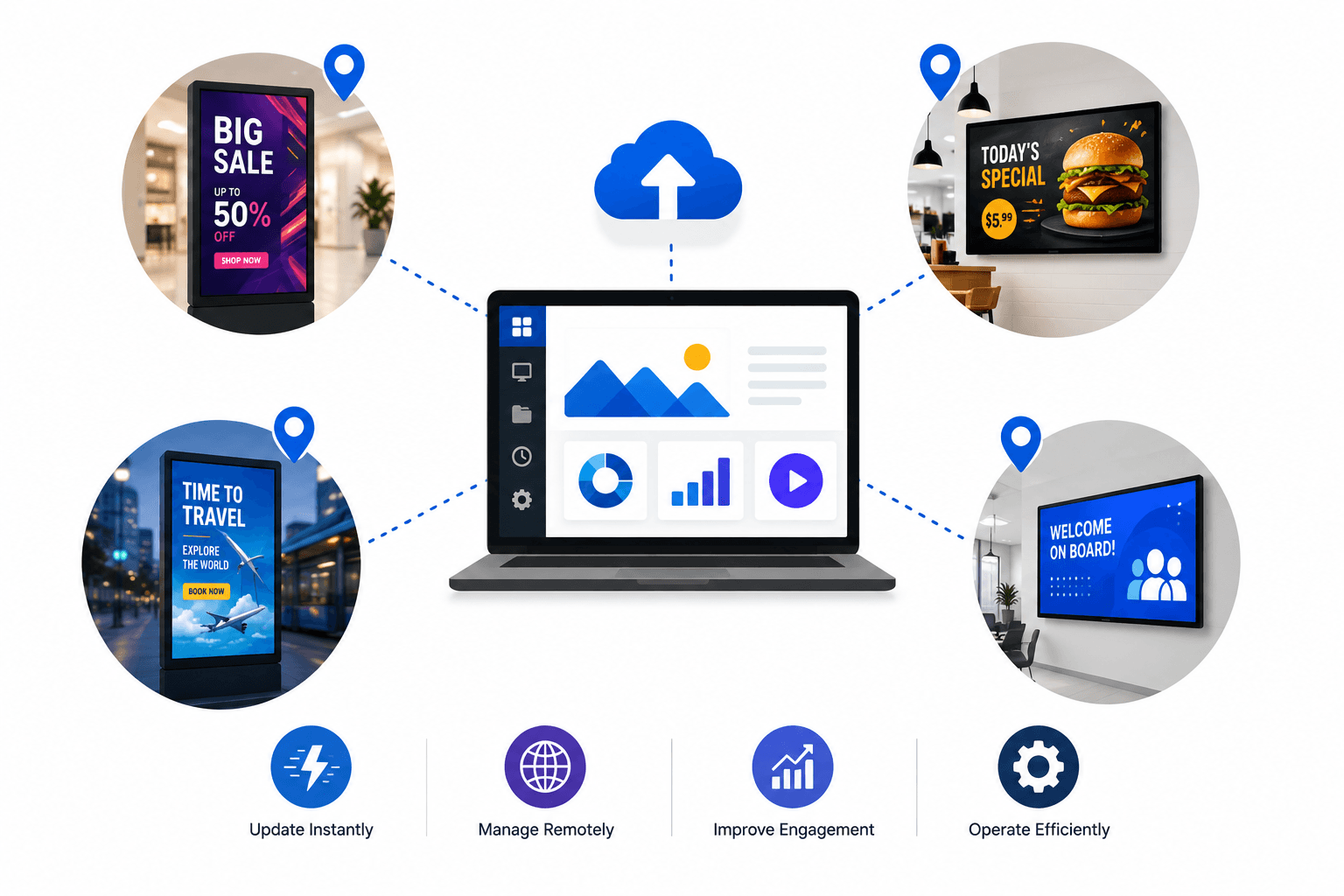
Once created, content is uploaded into a cloud-based Content Management System (CMS).
The CMS is the control center of the entire network. It allows businesses to:
Organize media into playlists
Schedule content by date and time
Assign content to specific screens or screen groups
Manage multi-location deployments
Update messaging instantly
This centralized control eliminates manual USB updates and reduces operational friction.
Step 3: Scheduling and Automation
Modern digital signage platforms go beyond static scheduling.
Businesses can:
Schedule breakfast menus in the morning and dinner menus at night
Run promotional campaigns for specific dates
Trigger content based on real-time data
Integrate APIs for weather, inventory, or live metrics
Automation ensures the right message reaches the right audience at the right time.
Step 4: Media Player Deployment
Each display screen is connected to a media player.
The media player:
Connects to the CMS via the internet
Downloads assigned content
Plays scheduled playlists
Stores fallback content for offline playback
In some setups, smart TVs can act as built-in media players, while larger enterprise deployments may use dedicated hardware for performance and reliability.
Step 5: Display Output
The final output appears on the digital screen.
This can include:
Single-screen displays
Video walls
Menu boards
Interactive kiosks
Indoor or outdoor displays
The system ensures consistent playback, smooth transitions, and high-resolution rendering.
Step 6: Monitoring and Analytics
Advanced digital signage systems include monitoring tools that provide:
Screen health status
Playback confirmation
Uptime tracking
Engagement analytics (when integrated with sensors)
This visibility is critical for enterprises managing large screen networks. It enables proactive troubleshooting and performance optimization.
Step 7: Continuous Optimization
Digital signage is not a one-time deployment.
Businesses continuously:
Update campaigns
Test new creatives
Analyze performance
Optimize scheduling
Adapt messaging based on audience behavior
This iterative approach transforms digital signage into a strategic growth channel rather than just a display solution.
Enterprise Architecture Flow
Here is the simplified flow:
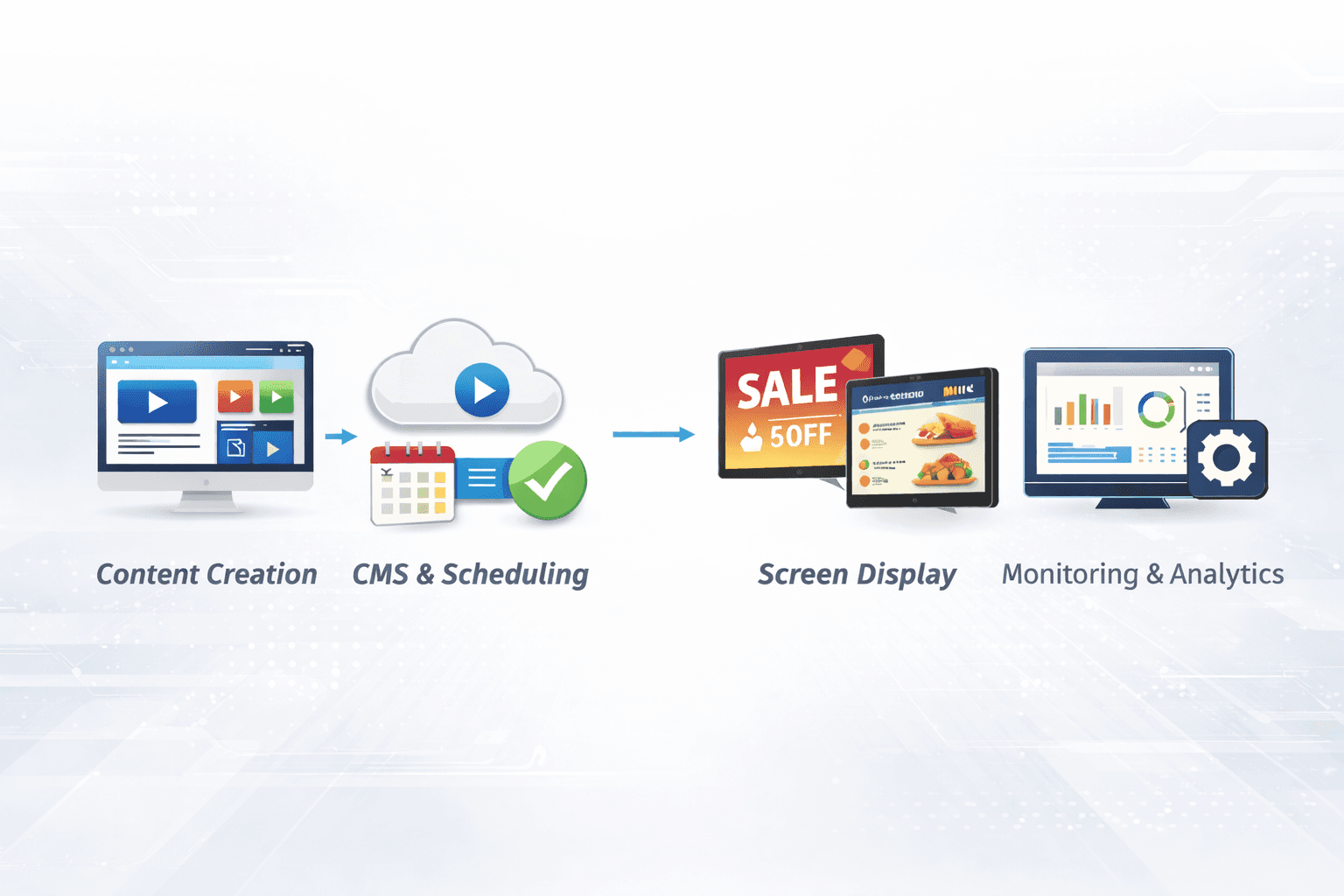
Content Creation → CMS Upload → Scheduling & Automation → Media Player Sync → Screen Display → Monitoring & Optimization
Each layer works together to create a scalable, manageable, and measurable communication system.
Why This Matters for Growing Businesses
Manual screen management does not scale.
For multi-location brands, franchise chains, retail networks, or corporate offices, centralized digital signage enables:
Brand consistency
Faster campaign rollout
Reduced operational cost
Real-time communication
Data-driven decision making
It transforms screens into strategic communication assets.
Conclusion
Digital signage works by combining content strategy, cloud software, connected hardware, and automation into one unified system.
When implemented correctly, it becomes more than visual display technology — it becomes a growth infrastructure for modern enterprises.
If your business is scaling across locations or looking to modernize in-store communication, now is the time to move beyond static displays and invest in intelligent digital signage software.
Book a demo with Flickerwall to see how centralized screen management can transform your communication strategy.